How to play Bowling online
- Move the bowler up and down the lane: up and down arrow keys
- Release the ball: Space bar
- Curve or steer the ball after release (games 1–4): up and down arrow keys
- Second player: T and G move and steer, A releases the ball
- Start a new game: F12 (the console’s Reset switch)
- Choose a game variation: F11 (the console’s Select switch)
- Difficulty switches: F4 for player 1, F9 for player 2
Gameplay
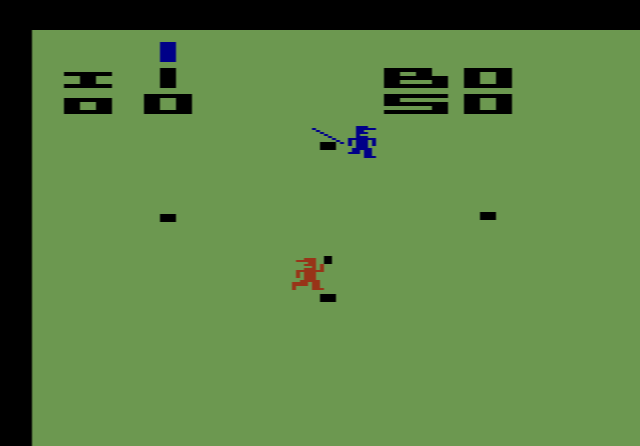
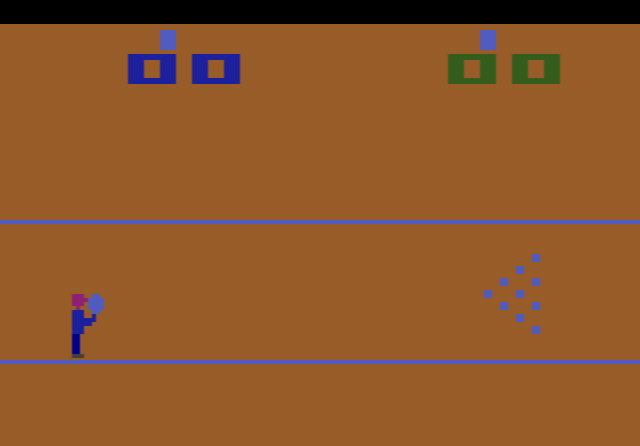
The lane runs across the screen from left to right, with your bowler on the left and ten pins on the right. Before each roll you move the bowler up or down to choose where the ball starts, then press the button to throw. A game lasts ten frames, and you get two rolls in each frame to knock down all ten pins.
Scoring follows the real rules of tenpin bowling. Each pin is worth one point. If you knock all ten down with the first ball, that is a strike, and the pins from your next two rolls are added to that frame. Clear the rest with your second ball and you have a spare, which adds your next roll. A spare in the tenth frame earns one extra ball and a strike earns two. Twelve strikes in a row give the perfect score of 300.
Game variations and difficulty
There are six variations. The odd-numbered ones (1, 3, 5) are for one player, and the even-numbered ones (2, 4, 6) are the same games for two players.
- Games 1 and 2, curve ball: move the joystick once after the throw and the ball starts curving up or down. It keeps curving in that direction until it reaches the pins.
- Games 3 and 4, steered ball: you can steer the ball up and down the whole way. Let go of the joystick and it rolls straight again.
- Games 5 and 6, straight ball: the ball cannot be changed once it is thrown, so your starting position is everything.
The difficulty switch in position A makes strikes and spares harder to get. Position B is easier and a good place to start.
Tips
- Start with the straight ball. Games 5 and 6 teach you how the bowler’s position alone changes where the ball hits.
- Time the curve in games 1 and 2. The curve cannot be stopped once it starts, so wait until the ball is part-way down the lane before moving the joystick.
- Use the steering to pick up spares. In games 3 and 4, steer towards the leftover pins, then centre the joystick so the ball runs straight into them.
History
Bowling was Larry Kaplan’s last VCS game at Atari. Soon afterwards he left to help found Activision, where he went on to design Kaboom!. Other bowling video games already let you curve the ball, but Kaplan’s version also let you place the bowler and control when the ball was released. Reviewers at the time liked the graphics, the animation and the lively sound, though one called the controls a little awkward. The game has since been included in collections such as Atari Anthology and Atari 50.