How to play Othello online
- Move the cursor: arrow keys (press two at once to move diagonally). The cursor wraps round from one edge of the board to the other.
- Place a piece: Space bar
- Second player (game 4): T/F/G/H to move, A to place a piece
- Start a new game: F12 (the console’s Reset switch)
- Choose a game number: F11 (the console’s Select switch)
- Set-up mode on or off: F4 (the left difficulty switch)
- Choose who moves first: F9 (the right difficulty switch)
How the game works
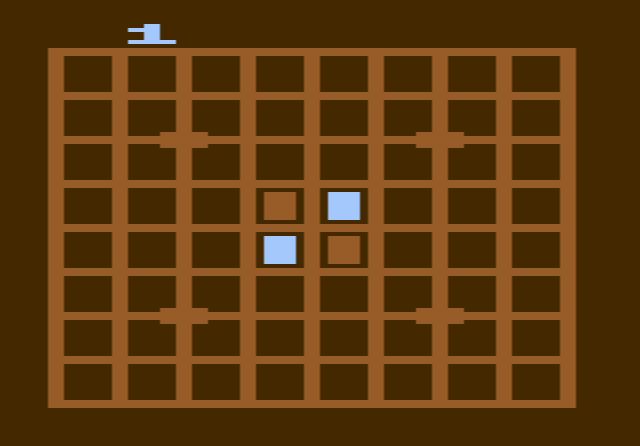
The board has 8 by 8 squares, and every game starts with two black and two white squares in the centre. On your turn you must claim a square that traps one or more of your opponent’s squares in a straight line between your new square and another of yours. The trapped squares change to your colour. Lines can run across, up and down, or diagonally.
Each square you own is worth one point, and you lose points when your opponent takes squares from you. The scores are shown in the top corners. If you cannot make a legal move, the cursor changes to your opponent’s colour after a second and you miss your turn. Trying an illegal square does not cost you anything. When neither player can move, the game is over and the higher score wins.
Game numbers and switches
- Game 1: against a beginner computer opponent
- Game 2: against an average computer opponent
- Game 3: against an expert computer opponent
- Game 4: two players against each other
With the left difficulty switch in position A, you are in set-up mode: each press of the button places a piece, alternating between the colours, so you can build any position you like. Switch it back to B to play. The right difficulty switch sets who moves first: black in position A, white in position B. Tournament rules say black always starts.
Tips
- Take the corners. A corner square can never be flipped back, and it gives you a safe base along two edges.
- Avoid the squares next to the corners. Taking them early often hands the corner to your opponent.
- Don’t grab too much too soon. Having few pieces in the middle of the game leaves your opponent with fewer good moves. The score only matters at the end.
- Use set-up mode to practise. Recreate a position that went wrong and try different moves from it.
History
Ed Logg wrote the game after studying artificial intelligence at Stanford, and Carol Shaw, who also made 3-D Tic-Tac-Toe for the 2600, programmed its graphics. It was released in March 1981, and Sears also sold it under its own label. Reviewers disagreed about the computer opponent. One called it sophisticated and challenging, and a French magazine liked the option to set up a problem before play. A British magazine, however, felt the computer only reached an average standard even at its highest level.