How to play Death Star Battle online
- Fly the Millennium Falcon: arrow keys (eight directions)
- Fire lasers: Space bar; hold it down for rapid fire
- Start a new game: F12 (the console’s Reset switch)
- Choose Game 1 (beginner) or Game 2 (advanced): F11 (the console’s Select switch); during play, the same switch pauses the game
- Collisions with TIE Interceptors on or off: F4 (left difficulty switch)
- Death Ray range: F9 (right difficulty switch)
- Save and load your progress: Ctrl + 0–9 saves to a slot, Alt + 0–9 loads it
Gameplay
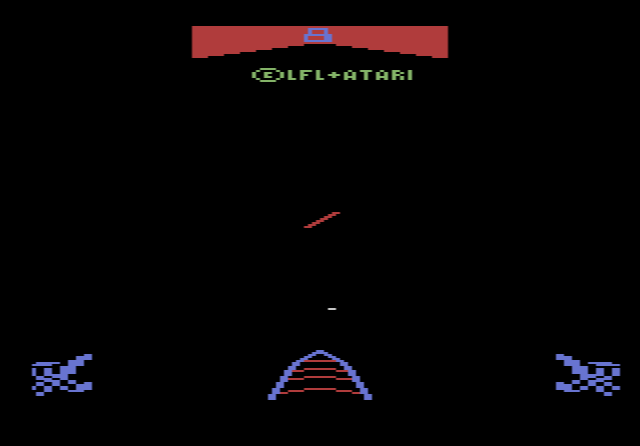
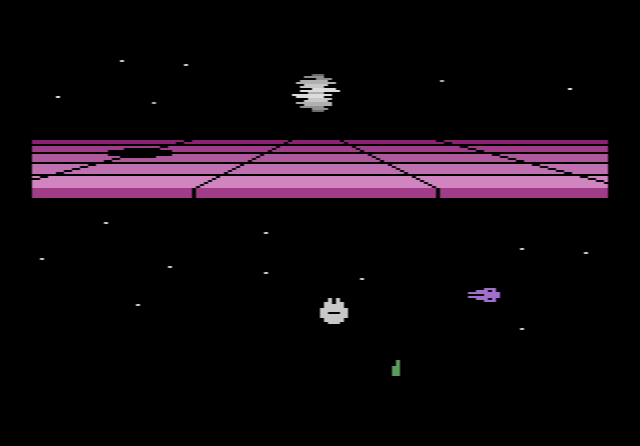
When a round begins, the Death Star is visibly rebuilding itself piece by piece. If it is completed, the game is over. Between you and the station is an energy shield, a grey band that switches on and off. While you wait for it to open, TIE Interceptors attack in groups and a green Death Ray follows your movements. When the band is off, you steer through one of the black gaps. Touch the band while it is active and you lose the ship.
Passing the shield sends the Falcon through hyperspace to the Death Star itself. Now you shoot away pieces of its wall to open a path to the energy core. Hit the core and the station explodes, and you have to dodge the fireballs from the blast. If you knock out every wall piece before hitting the core, you earn an extra Falcon. An Imperial Shuttle carrying the Dark Lord also appears after a warning sound: shoot it for a big bonus, but do not fly into it.
| Target | Points |
|---|---|
| Death Star wall piece | 20 |
| TIE Interceptor | 50 |
| Imperial Shuttle | 3,000 |
| Dodging fireballs after the explosion | bonus that grows the longer you survive |
You start with six Falcons and get another every 10,000 points. At each 10,000-point step the difficulty also rises: TIE Interceptors fire more often, the Death Ray tracks you faster, the station is rebuilt more quickly and the shield openings become fewer.
Difficulty switches
The left switch in position A (expert) makes the Falcon explode if it touches a TIE Interceptor; in position B (novice) collisions are harmless. The right switch sets the Death Ray: in A it can sweep the whole screen, in B it only moves across the width of the Death Star.
Tips
- Start on novice settings. Put both difficulty switches on B while you learn the shield timing.
- Keep moving. The Death Ray follows you, so staying still in front of a shield gap is dangerous.
- Clear the whole wall. Destroying every wall piece before the core is the reliable way to earn extra Falcons.
- Don’t waste time outside the shield. The longer you wait, the more of the Death Star gets built.
History
Parker Brothers had already released The Empire Strikes Back for the 2600 in 1982. AtariAge credits the development of Death Star Battle to Wickstead Design. The box art was painted by science fiction artist John Berkey, who had created early poster art for the 1977 film. Versions followed for the Atari 5200 in 1984 and the Atari 8-bit computers, and in 1985 Sinclair published it for the ZX Spectrum in Europe, where it was bundled with the ZX Spectrum+.