How to play Grand Prix online
- Accelerate: hold Space (release it to slow down)
- Brake: left arrow
- Steer toward the top or bottom of the track: up and down arrow keys
- Choose one of the four courses: F11 (the console’s Select switch)
- Start a race: F12 (the console’s Reset switch)
The difficulty switches have no effect in this game.
Gameplay
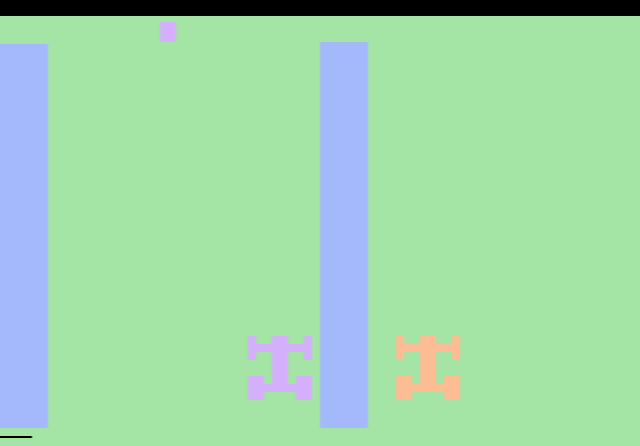
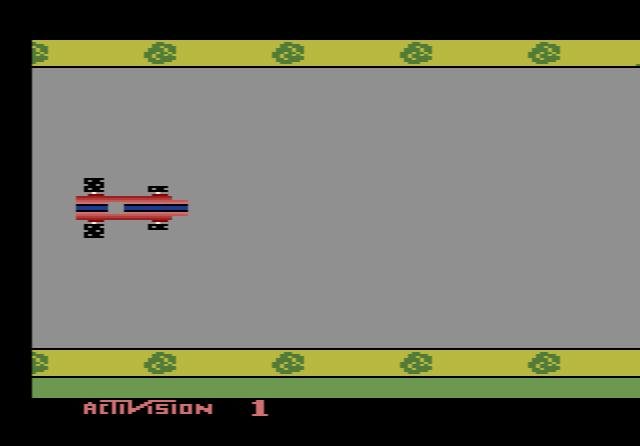
The track scrolls sideways as you drive, and your aim is to finish the course in the shortest time. The other cars are not really opponents but moving obstacles. Touching one drops your speed below theirs, so every collision costs you seconds. Steering also takes off a little speed each time, but it gets sharper the faster you go. You can hear the car change gear as it speeds up and slows down.
There are no curves. The courses are straight, tree-lined roads, and they differ in length and in the number of narrow bridges over water. Scraping the side of a bridge slows you down, and a head-on crash into it stops the car completely, so you have to build speed again from nothing. Oil slicks make the car slide sideways, and they tend to appear just before a bridge, which makes them a handy warning. When you cross a bridge, the game shows your time so far.
The four courses
The tracks borrow the names of real racing circuits, but unlike the real ones they are all straight:
- Watkins Glen: the shortest and easiest course, with no bridges
- Brands Hatch: about twice as long, with one bridge
- Le Mans: about three times as long, with two bridges
- Monaco: the longest course, with three bridges
Tips for a faster time
- Learn the course. Crane’s own advice in the manual is to memorise where the traffic and hazards come. The same run will feel much easier the second time.
- Treat oil as a bridge warning. When you see a slick, get lined up with the bridge before you reach it.
- Brake rather than crash. A quick tap on the brake to slip behind a car costs less time than hitting it.
- Steer only when you need to. Every change of lane shaves off a bit of speed, so pick your line early and hold it.
The story behind Grand Prix
The game started with a graphics trick. David Crane worked out a way to draw large sprites in several colours on the 2600, and one of his test patterns reminded him of the stripes on a racing car. He built a Grand Prix game around it, and it is often named as the first 2600 game with shaded, multicoloured objects. Crane had already made Dragster and Freeway for Activision and would release Pitfall! the same year.
Reviews were positive. The Space Gamer said the graphics and the skill it demands made it worth buying, and Computer and Video Games still gave it 80% in 1989. Activision later included it in its 1995 Atari 2600 Action Pack collection for Windows 95.