
How to use Color Bar Generator online
- Step forwards or backwards through the patterns: F11 (the console’s Select switch) and F12 (the Reset switch)
- Choose a 1 kHz or 3 kHz test tone: F4 and F9 (the two difficulty switches)
The test patterns
The cartridge holds 15 screens. Together they cover most of the adjustments you could make on a black-and-white or colour television of the time:
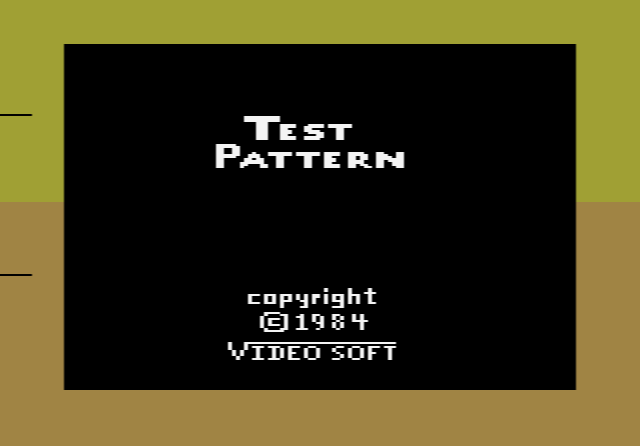
- Title screen: a coloured box for adjusting the console itself (see below)
- Colour bars and grey scale: standard colour bars and eight steps from white to black, for colour and brightness
- Cross hatch, dots, vertical lines, horizontal lines and centre cross: for checking picture geometry and colour convergence
- Circle: for setting vertical size and linearity
- Wide vertical bars and window: for spotting smearing and signal problems
- White, red, blue and green screens: for white balance and colour purity
The title screen is aimed at the Atari itself. Inside the 2600 is a single adjustable control that sets how its colours are generated. Turning it until the top and bottom halves of the coloured box match brings the console’s colours back into line. The manual warns that opening the console to do this voids the warranty. An emulator has no such control, so here this screen is mainly of historical interest.
History
Jerry Lawson founded Videosoft in 1980 after leaving Fairchild, to write software for the Atari 2600. None of its games were released at the time, and the company closed about five years later. Color Bar Generator, a utility rather than a game, is listed as released in December 1983, and the revised manual is dated February 1984. Videosoft’s unfinished games were only shared with collectors in 2010.
Other non-game cartridges to try
- Video Life – CommaVid’s version of Conway’s Game of Life
- Venetian Blinds Demo – an Activision demonstration cartridge
- BASIC Programming – Atari’s cartridge for writing small programs