How to play Space Shuttle online
The original box came with an overlay that relabelled the console switches as cockpit controls. The switch keys below work as toggles.
- Move the shuttle (forward/back and sideways): arrow keys
- Change altitude: hold Space and press the up or down arrow
- Ignite the engines at launch: Space bar
- Primary engines: F2 (the Colour/B&W switch)
- Backup engines: F4 (the left difficulty switch), only needed if the primary engines fail
- Cargo bay doors / landing gear: F9 (the right difficulty switch)
- Choose a flight, or show flight status during a mission: F11 (the console’s Select switch)
- Start the countdown: F12 (the console’s Reset switch)
- Save and load your progress: Ctrl + 0–9 saves to a slot, Alt + 0–9 loads it
The mission
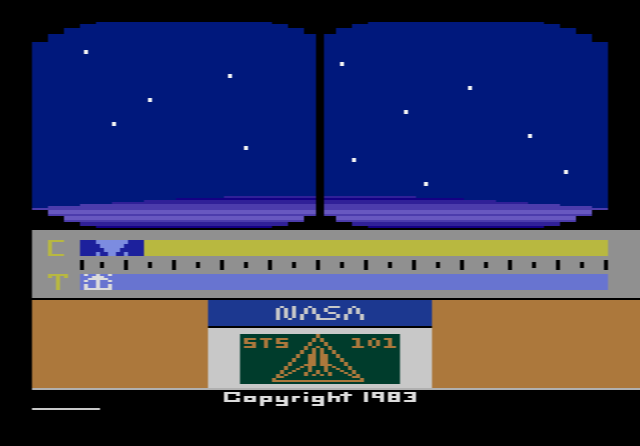
You are the commander of the 101st Space Shuttle mission. Instruments on the screen tell you what the flight computer wants, and your job is to follow them. During launch you fire the engines and keep your thrust arrow lined up with the computer’s arrow, while the solid rocket boosters and then the external fuel tank drop away. Once in orbit, you pitch the nose down to spot the satellite and open the cargo bay doors to get rid of heat.
Docking is the heart of the game. You bring each of the three axes (altitude, sideways position and distance) to zero and hold them steady for two seconds, and the word “Rendezvous” tells you that you have docked. You can dock several times, but the satellite moves more erratically each time. To come home you turn the shuttle tail-first, fire the engines to slow down, turn back around, close the cargo doors and fly the re-entry through the heat of the upper atmosphere and a radio blackout, before gliding down to land at Edwards Air Force Base. Mistakes lead to a “Launch Scrub” or “Mission Abort”.
Flights and ranks
- Flight 1, Autosimulator: a shortened flight that the computer flies for you. Touch the joystick at any time to take over.
- Flight 2, Simulator: the full mission, with unlimited fuel and a computer that corrects most of your errors.
- Flight 3, STS 101: the real thing, with limited fuel and every abort condition switched on.
After a safe landing in Flight 3 you get a rank based on how many dockings you made and how much fuel you had left, from Payload Specialist (one docking) up to Commander (six or more dockings with at least 7,500 fuel units left). Activision offered patches to players who reached the Pilot and Commander ranks.
Tips
- Watch Flight 1 first. It is the quickest way to learn the order of the steps.
- Learn to dock in Flight 2. Unlimited fuel lets you practise the three axes without pressure.
- Fix one axis at a time. Correct altitude first, then sideways position, then distance, as the manual suggests.
- Save fuel for the ranks. In Flight 3 every docking costs fuel, and the top ranks need both many dockings and a full tank. Use save states before each docking attempt.
History
The 2600 version came first, in 1983. Versions for the Atari 8-bit computers, the Atari 5200, the Commodore 64 and the ZX Spectrum followed in 1984, and Amstrad CPC and MSX versions later. An Apple II version was cancelled. A 1984 review in Video Games magazine warned that the game needed patience and brainpower, but called it a monumental achievement for players who wanted something deeper than an arcade game.