How to play Video Reflex online
Important: the emulator on this page does not emulate the Foot Craz pad. On the real pad you choose a level by stepping on the red dot and start by stepping on the green one. We have not been able to confirm which keyboard or joystick inputs, if any, match the pad’s dots, so you should not expect to play the game properly here. It is on the site mainly as a piece of Atari history.
- Reset the game: F12 (the console’s Reset switch)
- Save and load a state: Ctrl + 0–9 saves to a slot, Alt + 0–9 loads it
How the game works on the real pad
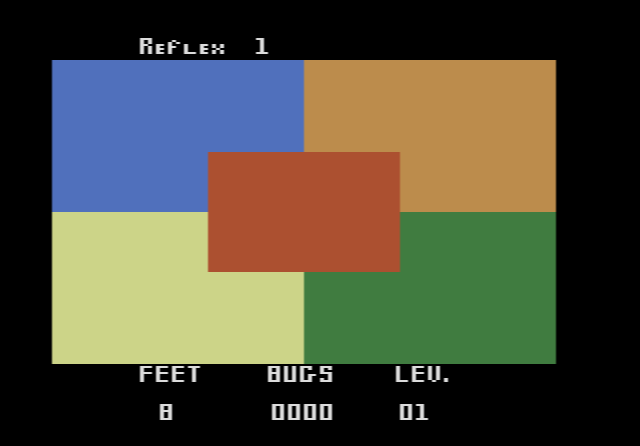
The screen shows five coloured squares: blue, orange, green and yellow going clockwise from the top left, with red in the middle. When a bug appears on one of them, you have between one and three seconds, depending on the level, to step on the dot of the same colour on the pad. Each correct hit scores one point. Stepping on the wrong colour or reacting too slowly costs one of your eight lives, and sometimes a bug appears on more than one square at once. If a butterfly appears instead, keep your feet still: stepping on a square then also costs a life. The game gets harder every twenty points.
There are nine levels, and they change how the bugs appear:
- Levels 1–3: bugs appear at random, and butterflies are mixed in
- Levels 4 and 6: bugs appear in sequence, in increasing order
- Level 5: bugs appear in sequence, in decreasing order
- Levels 7–9: combinations of bugs, more than one at a time, in increasing order
The manual takes the exercise side seriously. Unless you are already in very good shape, it suggests keeping sessions to three minutes, once a day, for the first two weeks.
History
AtariAge lists only two Atari 2600 cartridges from Exus, Video Reflex and Video Jogger, and both need the Foot Craz pad. AtariAge rates the cartridge as extremely rare.