How to play King Kong online
- Walk left and right: left and right arrow keys
- Climb ladders up or down: up and down arrow keys
- Jump: Space bar
- Choose a game variation (1–8): F11 (the console’s Select switch)
- Start the game: F12 (the console’s Reset switch)
Gameplay
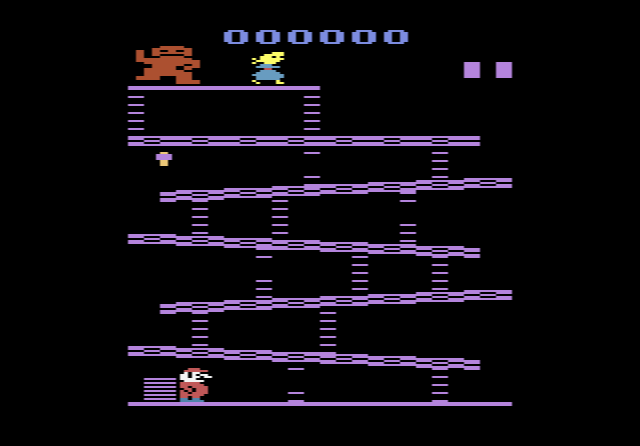
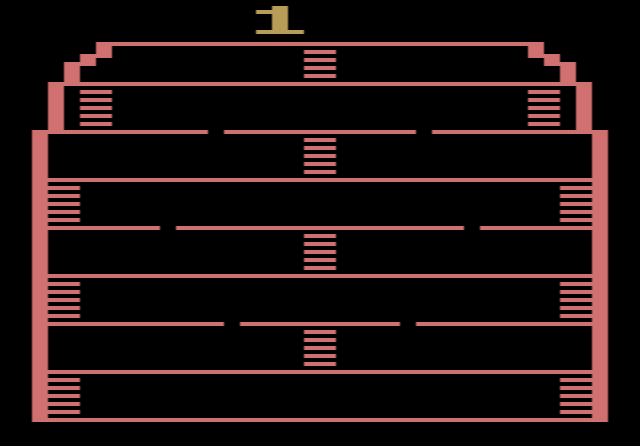
You climb the building floor by floor using the ladders, jumping over the bombs Kong sends along the floors towards you. Some floors have holes that need a running jump, or you fall through. A standing jump only goes straight up, and you can’t jump while on a ladder.
Each normal bomb you jump over is worth 25 points. Some bombs are magic: jumping one gives you 125 points and boosts you straight up to the next floor. A bonus counter starts at 990 and drops by 10 points every second. When you reach the top, whatever is left is added to your score, but if the counter runs out before then, you lose a life. You have three lives.
Game variations
The eight variations combine three settings: one or two players (taking turns), slow or fast bombs, and magic bombs on or off. Games 1 to 4 have slow bombs and games 5 to 8 fast ones. Magic bombs appear in games 1, 2, 5 and 6.
Tips
- Go for magic bombs. They are worth five times a normal bomb and skip a floor, which saves bonus time.
- Get moving before you jump a hole. A standing jump will not carry you across a gap.
- Check before climbing. You can’t jump on a ladder, so make sure no bomb is coming before you step on.
History
Tigervision was the video game arm of the toy company Tiger. The same year, Tiger also made a handheld King Kong game, licensed to Tandy. Reviews were mixed: The Space Gamer found it fun, Electronic Games called it a crude imitation of Donkey Kong, and Arcade Express gave it 4 out of 10 while noting it was easier than other climbing games. Many of Tigervision’s other cartridges were conversions of existing games, such as Jawbreaker, Polaris and River Patrol.