How to play Qix online
- Move the marker along the border: arrow keys
- Fast draw: hold Z (the lower buttons) while you move to draw a line off the border; closed areas fill in blue
- Slow draw: hold X (the upper buttons) instead; slower, brown, and worth double
- One or two players: the # key, which is = on your keyboard
- Skill level: the * key, which is – on your keyboard
- Start: Enter (without choosing anything you get a one-player Skilled game)
- Pause: P
- Full screen and save states: the emulator toolbar
Gameplay
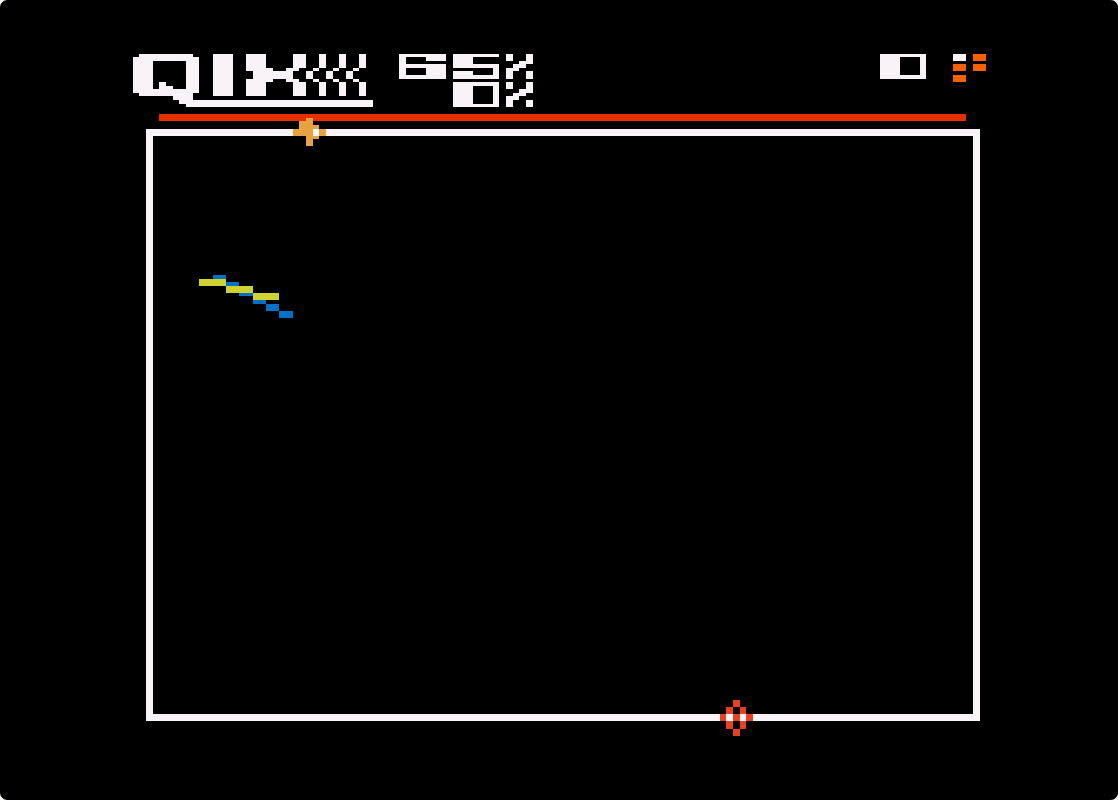
The screen starts as an empty rectangle with your marker on its edge. Hold a draw button and move inwards and the marker leaves a line behind it. When the line reaches the border again, the area it cut off is filled in and becomes yours. Each level has a threshold, a percentage of the screen you must claim; pass it and the level ends, with a bonus for anything over.
You cannot destroy the Qix, the bundle of lines whirling through the open space; you can only fence it in. If it touches a line you are still drawing, you lose a life. Once you leave the border you cannot turn back or stop: stand still and a Fuse starts burning along your line from its beginning and kills you when it catches up. Sparx patrol the border and your finished lines, and a red Time Line at the top shrinks away; each time it runs out two more Sparx arrive, the second time as faster Super Sparx that home in on you. From the third level there are two Qix. Draw a line between them so they end up in separate areas and the level ends at once, and everything you score afterwards is multiplied: double the first time, triple the next, and so on.
Fast draw scores 100 points per one per cent of the screen claimed, slow draw 200, and each point above the threshold adds a 1,000-point bonus. You have five lives, and the game ends when they are used up.
Skill levels
| Level | Threshold | What you face |
|---|---|---|
| Novice | 50% | A slow Qix only; no Sparx, Fuse or Time Line |
| Skilled | 65% | Medium Qix that does not chase, Sparx, Fuse, slow Time Line |
| Advanced | 75% | Arcade difficulty: a fast Qix that seeks you out, Super Sparx, medium Time Line |
| Expert | 85% | Everything, faster |
Tips
- Fast to set up, slow to finish. Rough out a shape with fast draw, then close the last big piece with slow draw.
- Never draw into a corner. You cannot reverse, and the Fuse will get you.
- Go for the split. With two Qix, claim up to just under the threshold, then draw a line between them for the multiplier.
- Keep moving. Dawdling brings more Sparx.
The story behind Qix on the 5200
Randy and Sandy Pfeiffer, a husband-and-wife team, designed Qix for Taito’s American arm, and it reached arcades in October 1981. It was a surprise hit, but faded within about a year; Taito’s Keith Egging later said it was impossible to master, and once the novelty wore off players moved on.
Atari made two separate home versions. The 5200 cartridge (model CX5213) was written at General Computer Corporation by Mike Horowitz and Allen Wells and released in March 1983, a month after a different Atari computer version. AtariProtos regards the 5200 cartridge as the more faithful and better of the two, and players on AtariMania single out its two-button fast and slow draw, which most later conversions dropped. Until 1989 these were the only ways to play Qix at home.