How to play Spitfire Attack online
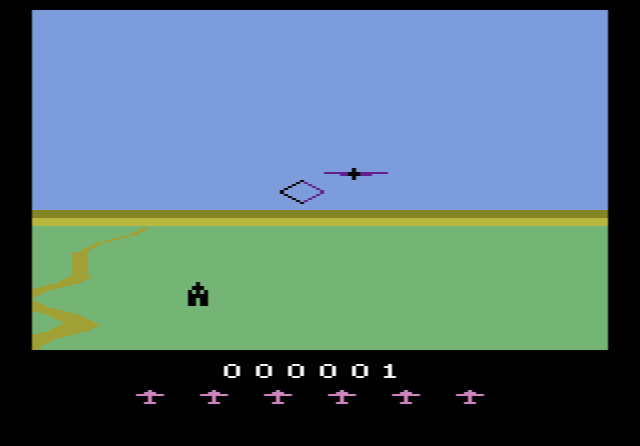
The controls work like a real aircraft’s stick: pushing forward makes the plane dive and pulling back makes it climb. That feels backwards at first, so give yourself a minute to get used to it.
- Bank left and right: left and right arrow keys
- Dive: up arrow key
- Climb: down arrow key
- Fire the machine guns: Space bar
- Start a new game: F12 (the console’s Reset switch)
Gameplay
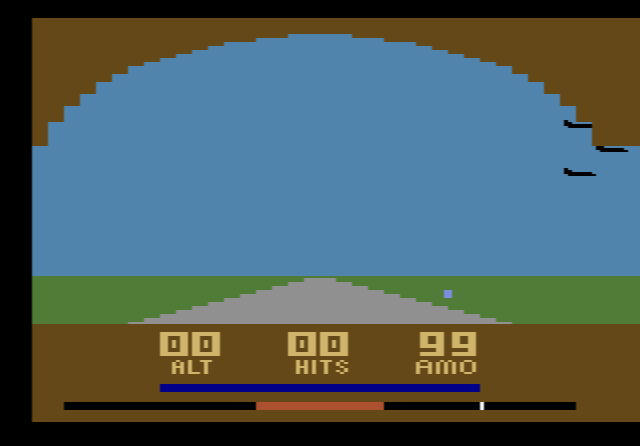
Your job is to shoot down enemy aircraft and to destroy targets on the ground: ammunition dumps, which look like small dark buildings, and anti-aircraft guns. To hit the ground targets you have to bring the plane down low, but that is where the danger is. Stay low for too long and a low-altitude warning sounds; if you don’t pull up in time, you crash. Enemy fighters and the anti-aircraft guns can both shoot you down, and your remaining planes are shown under the score.
Tips
- Pull back when the warning sounds. Remember that climbing means pressing down. Most early crashes happen because players push the wrong way.
- Make short diving runs. Drop down, fire at a ground target, then climb away rather than cruising along at low height.
- Line enemies up with the sight. Turn so the enemy plane sits in the gunsight before you fire.
History
Milton Bradley released Spitfire Attack and Survival Run for the 2600, and each came boxed with its own controller. Spitfire Attack shipped with a controller called the Flight Commander. It works just like a normal joystick, so you don’t need it to play the game today. Buyers also got a sheet of stickers for the controller and an end label that they had to stick onto the cartridge themselves, which is why many loose copies turn up without one. In 2003 a fan-made hack reversed the up/down controls for players who prefer “up means up”.