How to play Surf’s Up online
Leaning on the Joyboard pressed the same switches as a joystick, so the emulator’s normal joystick keys work.
- Steer your surfboard (lean on the Joyboard): arrow keys
- Start a new game: F12 (the console’s Reset switch)
- Turn sea creatures and obstacles on or off: F4 (the left difficulty switch; position A adds them)
Gameplay
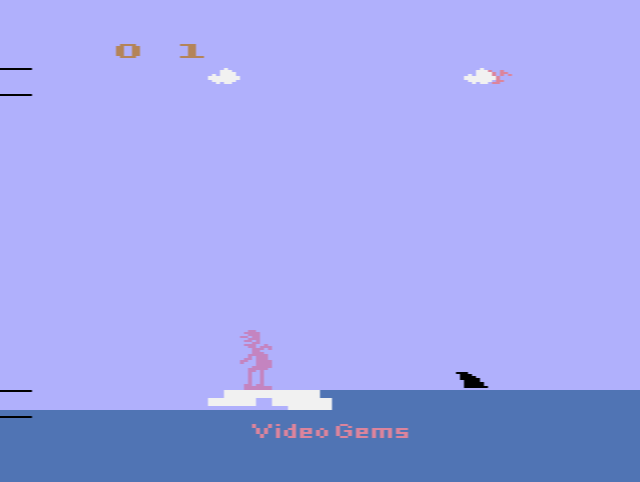
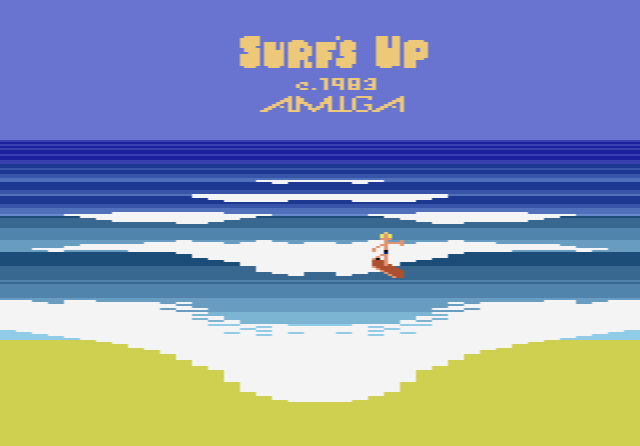
You first pick a starting level, which sets how fast everything moves. The main screen shows a small yellow surfboard on a rolling sea, with palm trees and a volcano on the shore.
The wave is drawn as two lines; the lower one rises to meet the upper one. Once they stay together, you score by pushing your board into them, with a bonus for staying longer. Stay too long and you wipe out. A flashing marker on the left edge acts as a timer: it shrinks each time you wipe out or miss a wave, and the game ends when it is gone. Survive long enough and you reach the beach and the next level.
With the left difficulty switch in position A, snakes, whale tails, coral, tentacles and broken pier pieces appear, and hitting any of them is a wipeout. A very high score even makes the volcano smoke.
Tips
- Move while you are up on the wave. The board can only slide left and right when it is riding the wave, not at the bottom of the screen.
- Line up between the pairs. Coral, tentacles and pier pieces come in pairs, so aim for the gap between them. Snakes and whale tails are easier to dodge.
Why it was never released
Amiga made the Joyboard as an accessory for the 2600, and the only game that was properly sold with it was the skiing game Mogul Maniac. Off Your Rocker reached players only in small numbers, and Surf’s Up never reached stores. The Joyboard itself did not catch on, although it is often compared with Nintendo’s Wii Balance Board, which brought the idea back more than twenty years later.