How to play Fireball online
Fireball was made for paddle controllers. The emulator loads the game straight away, so you skip the original “REWIND TAPE, PRESS PLAY” routine.
- Move the juggler: left and right arrow keys
- Throw a fireball: Space bar (hold it down to knock a falling ball away instead of catching it)
- Add another fireball: press Space rapidly three times
- Choose the variation and number of players: F11 (the console’s Select switch)
- Start a game: F12 (the console’s Reset switch)
- Stricter catching: F4 (Player 1 difficulty switch, A = harder)
- Switch between paddle and joystick mode: Alt + L
Gameplay
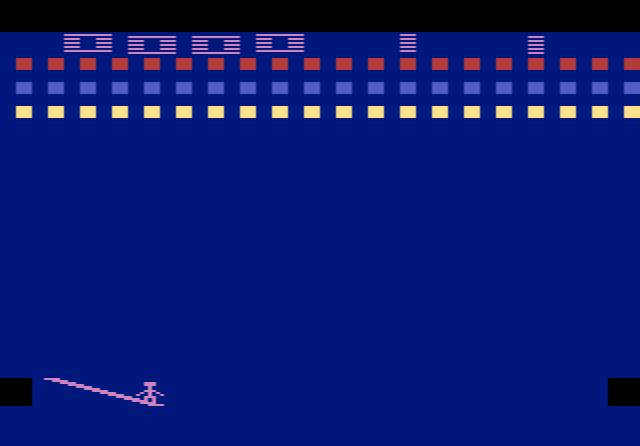
The story casts you as a juggler in the final event of an international juggling tournament. You run along the bottom of the screen, and when a falling fireball comes close you catch it in your nearest free hand. You can hold two at once, one in each hand, but not for long: a ball that gets too hot is thrown automatically. A thrown fireball flies off at an angle towards the side of the hand that held it, so which hand catches matters for your aim. You have five tries per game.
Every block you smash scores points, and clearing a whole set earns a bonus and adds another fireball to play. Blocks near the top are worth more, and every block is worth more while more fireballs are in the air, so the game rewards you for taking risks.
The five playfields
- Knock-A-Block: a plain solid wall, the best place to start
- Firetrap: extra fireballs are locked inside the wall until you break them out
- Marching Blocks: the wall moves down towards you after each catch
- Migrating Blocks: the wall shifts round every so often
- Cascade: five fireballs are trapped in hollows in the wall
Up to four people can play. Players 1 and 3 share the left difficulty switch, and players 2 and 4 share the right one.
Tips
- Pick the hand before you catch. Position yourself so the ball lands in the hand on the side you want to aim at.
- Don’t hold balls too long. An overheated ball flies off by itself, often where you did not want it.
- Add balls when you feel safe. More fireballs multiply the value of every block, but they are also harder to keep in play.
History
The Supercharger added 6 KB of RAM to the 2600, far more than the console’s own 128 bytes, and Fireball was among its launch titles. Reviews were mostly positive. Some magazines praised it as a fresh take on Breakout, while others felt a Breakout-style game did not really need the Supercharger’s extra power. The game was later reissued on the Stella Gets a New Brain CD collection of Starpath games.