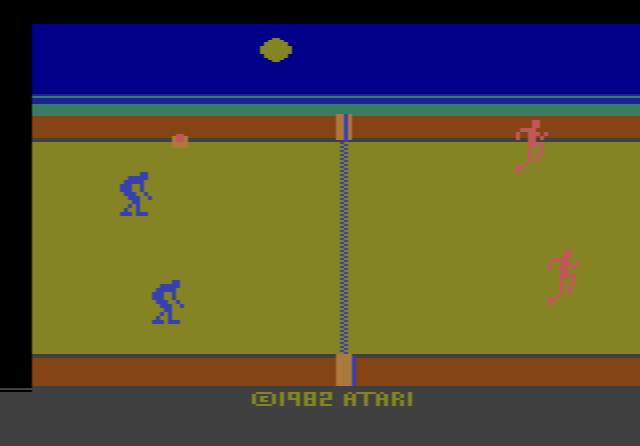
How to play RealSports Volleyball online
- Player 1 – move your team: arrow keys; serve, hit and spike: Space bar
- Player 2 – move your team: T, F, G, H (up, left, down, right); serve, hit and spike: A
- Start a new game: F12 (the console’s Reset switch)
- Choose a game variation: F11 (the console’s Select switch)
- Player speed: F4 (Player 1) and F9 (Player 2) toggle the difficulty switches
- Save and load your progress: Ctrl + 0–9 saves to a slot, Alt + 0–9 loads it
Gameplay
Each side has two players, and you steer both of them at once with one joystick: they move together in the direction you push. At the start the game picks a serving team at random. To serve, move your team until the top player reaches the ball and press the button.
Only the serving team can score: if the other side misses the ball or hits it out, the server gets a point, and if the server makes the mistake, the serve passes over. The first team to reach 15 points with at least a two-point lead wins.
Pressing the button just as your player meets the ball makes a spike: the ball comes back faster and lower, which makes it much harder to return. You can only spike when your player is at least halfway to the net.
Variations and switches
There are four games. Games 1 and 3 are for one player, and games 2 and 4 are for two. Games 1 and 2 use the set-up rule, where your team passes the ball between its two players, three hits in all, before it goes over the net, unless you spike it earlier. Games 3 and 4 drop this rule, so the ball goes back and forth much more quickly. The difficulty switches set how fast your players move: position A is slower and position B is faster.
Tips
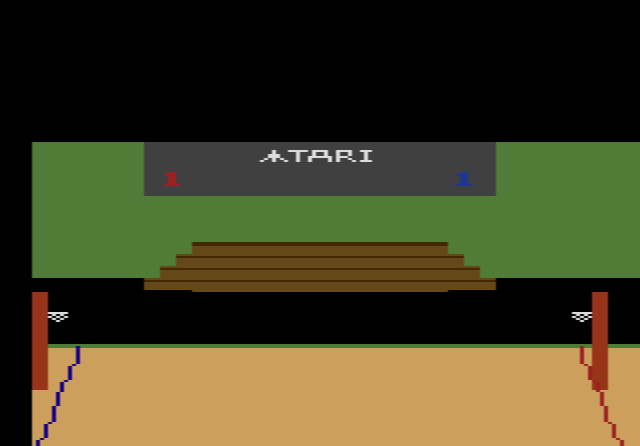
- Follow the shadow, not the ball. The shadow on the sand shows where the ball will come down. Get your players over it early.
- Get close before you spike. A spike only works from the front half of your court, so move your team up towards the net when you want to attack.
- Only the server scores. Losing a rally while receiving costs no points, so take more risks then.
The story behind RealSports Volleyball
Atari’s first volleyball on the 2600 was a simple Pong-style game in Video Olympics. For RealSports Volleyball, Bob Polaro reportedly went to the beach and played volleyball all day to get a feel for the sport before he started programming. The game grew out of an earlier volleyball project of his, reworked with better animation and more colourful backgrounds. A prototype dated May 1982 survives, and the cartridge came out later that year.
The game was well received. Arcade Express gave it 8 out of 10, and The Video Game Update named it the best new sports game in its 1982 awards. It has since been included on the Atari Flashback plug-and-play consoles, and in Europe and South America it also turned up on cartridges from other companies, often simply called Volleyball.