How to play Video Jogger online
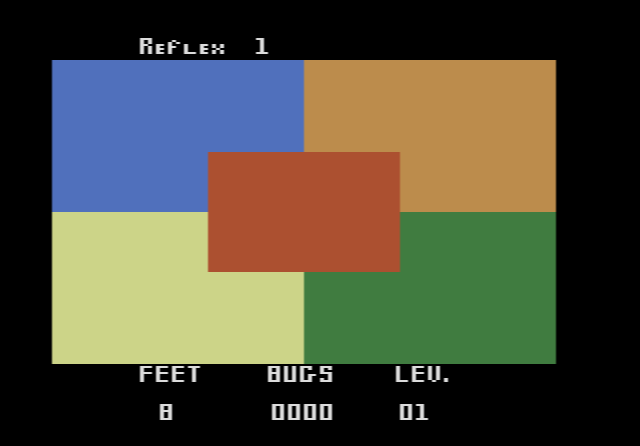
Important: the emulator on this page does not emulate the Foot Craz pad. The game expects you to step on the pad’s coloured dots, and we have not been able to confirm which keyboard or joystick inputs, if any, match those dots. You can load the game and look at the screen, but you should not expect to play it the way it was meant to be played. It is here mainly as a piece of Atari history.
- Start or restart the game: F12 (the console’s Reset switch)
- Save and load a state: Ctrl + 0–9 saves to a slot, Alt + 0–9 loads it
How the game works on the real pad
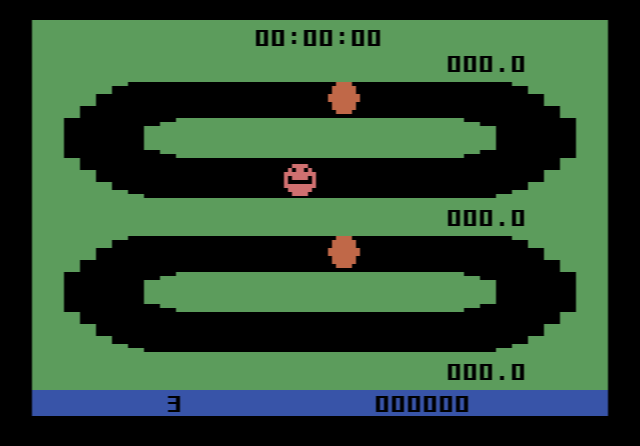
Two tracks are shown on screen, an upper one and a faster lower one. Stepping on the green dot starts the pace symbols moving round the tracks. You then jog on the spot, alternating between the orange and blue dots, and the faster you step, the faster your figure runs. The red dot moves you to the lower track, and the yellow dot takes you back up. The bottom of the screen shows your laps, time and score. According to the manual, one lap stands for roughly 35 yards.
The pace symbols change colour. Passing one while it is green earns bonus points, but passing it while it is red costs you one of your three lives. After 2,000 points the pace symbols speed up, and after five minutes a second one appears on each track.
There are four difficulty levels, set by the mile pace of each track:
| Level | Upper track | Lower track |
|---|---|---|
| 1 | 13½ minutes per mile | 11½ minutes per mile |
| 2 | 11½ minutes per mile | 9½ minutes per mile |
| 3 | 9½ minutes per mile | 7½ minutes per mile |
| 4 | 7½ minutes per mile | 6 minutes per mile |
The manual treats the game as a real workout. It recommends the slower track, since jogging for longer does you more good than sprinting, and it reminds you to stand up straight while you run in place.
History
AtariAge lists only two Atari 2600 cartridges from Exus, Video Jogger and Video Reflex, and both need the Foot Craz pad. AtariAge rates the cartridge as extremely rare.