
Most Atari 2600 games were played with the black joystick and its single orange button, but not all of them. Atari also sold paddles, a driving controller and several keypads, and other companies added a balance board, a joystick sleeve with extra buttons and even a headband that read your forehead. Knowing which one a game expected explains a lot: why some games feel odd on arrow keys, and why a few cannot be finished in a browser at all. Here is every controller type you will meet on AtariOnline.org, the games on the site that used it, and exactly what the emulator does in its place.
The joystick
The first joystick, the CX10, was replaced within a year by the CX40, designed by James C. Asher. It has no analogue parts at all. Inside the base are four switches arranged in a cross, and the stick can press at most two of them at once, which gives eight directions: up, down, left, right and the four diagonals. Add one fire button and that is the whole controller. The same 9-pin plug later worked on the Commodore 64, the Atari 8-bit computers, the Amiga and many other machines, which is why this design became a standard far beyond Atari.
Because the joystick is just switches, it translates perfectly to a keyboard. The large majority of games on the site were made for it, from Pitfall! and River Raid to Adventure.
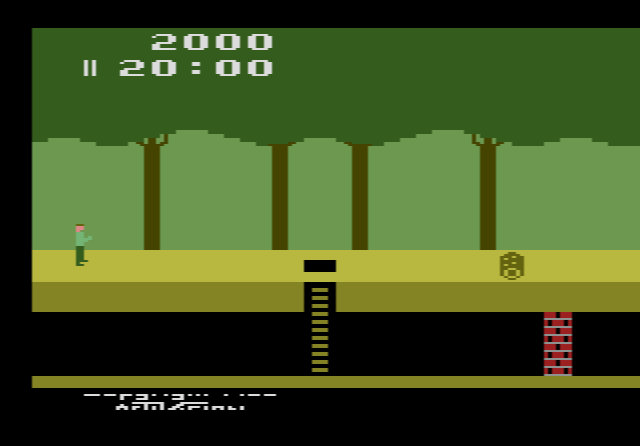
- Player 1 joystick: arrow keys, fire = Space
- Player 2 joystick: T (up), F (left), G (down), H (right), fire = A
- Diagonals: press two arrow keys together, exactly like the stick pressing two switches
Paddles
A pair of paddle controllers came in the box with the original console. Each paddle is a knob connected to a potentiometer, so the game reads the exact angle of the knob, not just a direction. The knob turns a little less than one full rotation before it hits a stop, and each paddle has its own fire button. The two paddles of a pair share one plug, so with both ports filled the 2600 can take four players at once.
That precision is why the ball-and-bat games need paddles. On the site these include:
- Breakout and Super Breakout, where the knob position is your bat position
- Kaboom!, Activision’s bomb-catching game, famous for how fast it makes you twist the dial
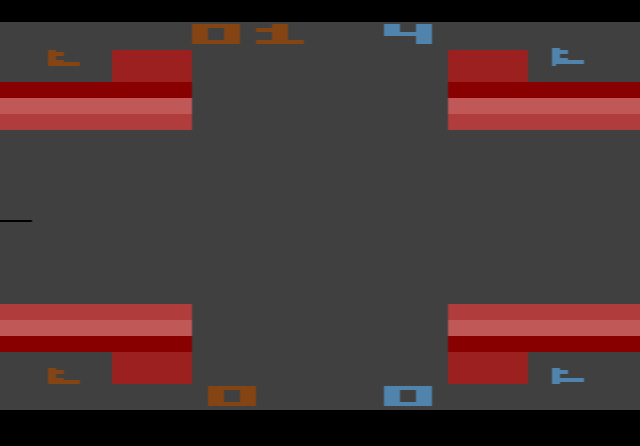
- Warlords, the four-player castle battle
- Video Olympics, Atari’s launch collection of Pong-style games
- Circus Atari, which slides a seesaw under falling clowns
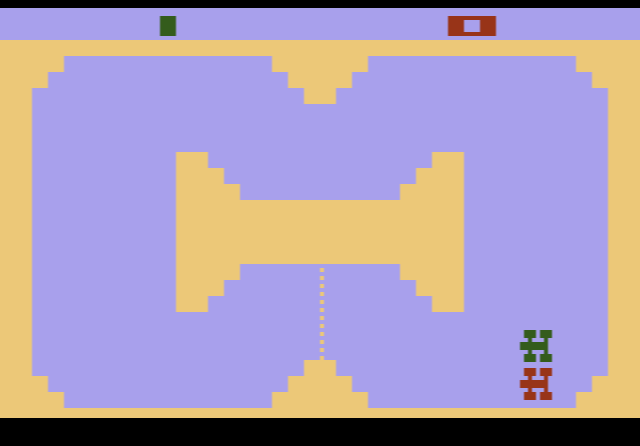
- Street Racer, for one to four players, where the paddle moves your car left and right
- Night Driver, which uses the paddle as a steering wheel and the button as the accelerator
- Card and board games such as Blackjack and Casino, plus shooters like Demons to Diamonds and Star Wars: Jedi Arena
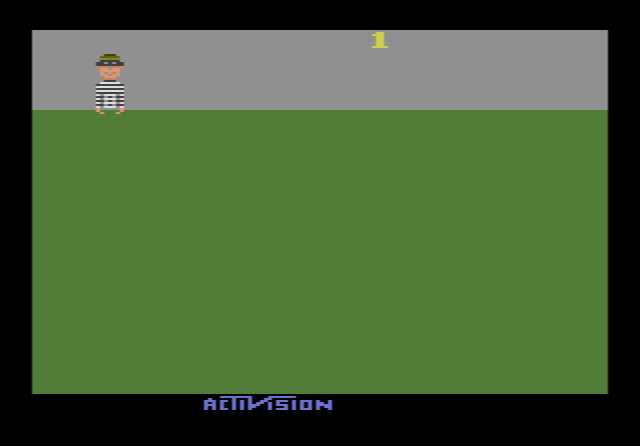
How the emulator handles paddles
The emulator (Javatari) keeps a list of known paddle games, including Breakout, Super Breakout, Warlords, Kaboom!, Circus Atari, Video Olympics, Street Racer, Night Driver, Canyon Bomber and many more, and switches to paddle mode by itself when one of them loads. In paddle mode:
- Turn paddle 1: left and right arrow keys; its button is Space
- Turn paddle 2: F and H; its button is A
- Switch between paddles and joysticks: Alt + L. Use it if a paddle game starts and nothing moves, or if a joystick game has been put in paddle mode by mistake.
Two limits are worth knowing. First, a key turns the virtual knob at a steady speed, so you cannot snap from one side of the screen to the other the way you can with a real dial. In Kaboom! that makes the later bomb waves harder than on real hardware, so try the Player 1 difficulty on B (F4) for full-size buckets. Second, the emulator provides two paddles, not four. Four-player modes in Warlords, Street Racer or Video Olympics are out of reach, but Warlords simply hands any castle without a human player to the computer, so a one- or two-player game works fine.
The driving controller
The driving controller looks like a paddle, but it works in a completely different way. It has no end stop and can be spun round and round in either direction, and there is only one per port. It does not report an angle. Instead it sends a short sequence of on/off signals as it turns, and the game works out from their order which way, and how far, the wheel moved. That is what an overhead racing game needs, because every lap means turning the car through a full circle.
Driving controllers came with Indy 500, one of the console’s launch games in 1977, and it is the only released game that supports them. Other racing games you might expect to use them do not: Night Driver and Street Racer use paddles, and Enduro and Pole Position use the joystick.
In the emulator: Javatari has no driving controller mode. There is nothing in its code that produces the spinning signal the wheel sends, so Indy 500 cannot be steered the way it was designed to be. The joystick racing games above are the better choice if you want to race in your browser.
Keypads: the Keyboard Controller, the Kid’s Controller and the Video Touch Pad
Atari made three 12-key pads, all laid out like a telephone keypad with four rows of three keys and slots for game-specific overlays:
- Keyboard Controller (CX50): launched in June 1978 together with Codebreaker and Hunt & Score. Brain Games also uses it, and BASIC Programming needs two of them, one in each port, with overlays showing the commands and letters.
- Kid’s Controller (CX23): the same idea with big soft keys, made for the Sesame Street games. Alpha Beam with Ernie, Big Bird’s Egg Catch, Cookie Monster Munch and Oscar’s Trash Race were made for it. The overlays hide most keys: in Alpha Beam only 2, 4, 6 and 8 are used, and in Big Bird’s Egg Catch only 4 and 6.
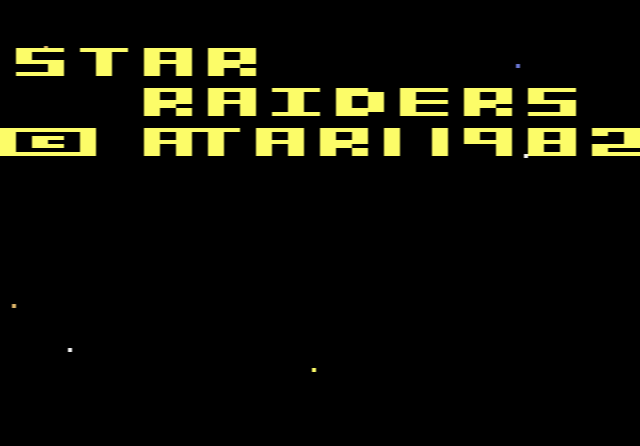
- Video Touch Pad (CX21): came boxed with Star Raiders in 1982. You plug a joystick into the left port to fly and shoot, and the pad into the right port for the forward view, the galactic map, hyperwarp, the attack computer and the shields. Star Raiders turned out to be the only game that used it.
In the emulator: there is no keypad emulation. The emulator only knows joysticks and paddles, so the number keys on your keyboard do not act as a keypad. In practice:
- Star Raiders is only partly playable. The joystick part works (arrows to fly, Space to fire, F4 and F9 to hand the attack computer and shields to automatic), but without the touch pad you cannot open the galactic map or hyperwarp, which the game is built around.
- Codebreaker, Hunt & Score, Brain Games and BASIC Programming take their input from the keypad, so they cannot be played properly here.
- The Sesame Street games were built for the Kid’s Controller, so the same applies: the arrow keys are not a replacement for its big buttons.
The oddballs
A handful of games on the site were made for controllers that few people ever owned:
- Joyboard (Amiga Corporation, 1983): a board you stand on and lean. Underneath are four joystick switches, so the console sees it as an ordinary joystick. It came with the skiing game Mogul Maniac. Because it is a joystick as far as the game knows, the arrow keys do the job, just without the wobbling.
- Booster Grip (CBS Electronics): a sleeve that slips over the joystick shaft and adds a trigger and a thumb button. It came with Omega Race, which relies on the extra buttons for your ship’s controls. The emulator has no key for those extra buttons, so this one may not be fully playable.
- MindLink (Atari, planned for 1984): a headband that read tiny movements of your forehead muscles. It was never released, partly because testers got headaches. Bionic Breakthrough, a Breakout-style game made for it, is on the site as a curiosity, but the emulator has no MindLink mode.
- Kid Vid (Coleco): a voice module that plugged into the console and added spoken narration. The Smurfs Save the Day needs it to work, and it is not emulated either.
Quick reference
| Controller | Example games on the site | In the browser |
|---|---|---|
| Joystick | Pitfall!, River Raid, Adventure, Enduro | Fully supported: arrows + Space (Player 2: T/F/G/H + A) |
| Paddles | Breakout, Kaboom!, Warlords, Street Racer, Night Driver | Automatic paddle mode for known games, Alt + L to toggle; two paddles only |
| Driving controller | Indy 500 | Not emulated |
| Keyboard / Kid’s Controller / Video Touch Pad | Star Raiders, Codebreaker, BASIC Programming, Alpha Beam with Ernie | Not emulated; Star Raiders partly playable |
| Joyboard | Mogul Maniac | Works as a joystick |
| Booster Grip, MindLink, Kid Vid | Omega Race, Bionic Breakthrough, The Smurfs Save the Day | Extra hardware not emulated |
How to tell what a game needs
- Look at what the game is about. If you control a bat, a shield, a bucket or a car that only slides sideways, it is probably a paddle game.
- Watch the first seconds. If the arrow keys do nothing in a game like that, press Alt + L once and try again.
- Read the game’s page. The “How to play” section on the rewritten game pages lists the controller and the keys that apply to that game.
- Save before the hard part. Ctrl + 0–9 saves the game to a slot and Alt + 0–9 loads it back, which makes a steady-speed paddle much more forgiving in games like Super Breakout.
If you are new to paddle games, start with Breakout: one bat, one ball, and the fastest way to get a feel for the arrow-key paddle before you move on to Kaboom! or a two-player round of Warlords.